● Available on Google Play

PlayOver for Android

Share music across every streaming platform, right from the Android share menu. Works with Spotify, Apple Music, YouTube Music, and more.

Music sharing made simple.

📤

Share Menu Integration

PlayOver shows up whenever you share a link on Android. Tap it to instantly convert and open the song on your preferred platform.

🔀

Automatic Link Interception

Enable PlayOver as the default handler for music links and it will automatically intercept and redirect them — no extra taps needed.

🎯

Set a Default Platform

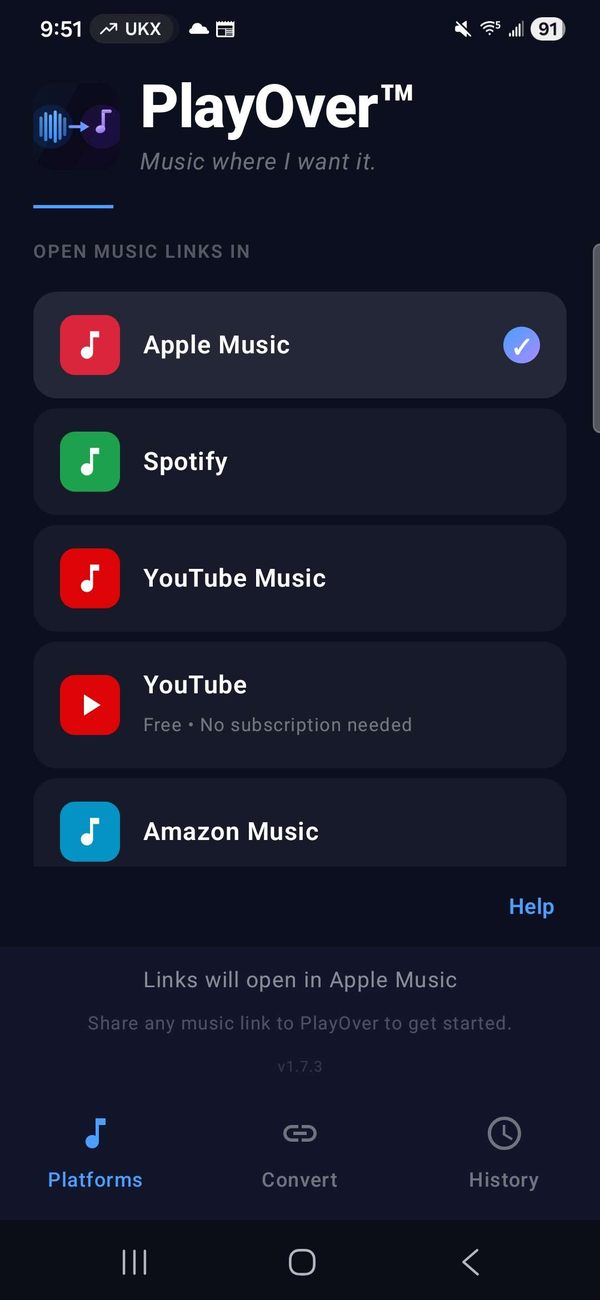
Pick your streaming service once and PlayOver will always open links there. Change it any time from the main screen.

📜

Conversion History

Every link you convert is saved locally. Tap any entry in your history to reopen it instantly — perfect for songs you want to revisit.

🔒

Private by Design

No account required. PlayOver doesn't collect your name, email, or identity, and we never sell your data. Usage analytics are anonymous.

💰

Completely Free

No ads, no subscriptions, no hidden costs. PlayOver is free forever on every platform.

Set up in under a minute.

PlayOver integrates with Android's native sharing system. Follow these steps to get started.

1

Download PlayOver from Google Play

It's free and requires no account or sign-up.

2

Set your preferred platform

Open PlayOver and tap the streaming service you use most. You can change this any time.

3

Enable "Open by default"

Go to Settings → Apps → PlayOver → Open by default and enable it. This lets PlayOver automatically handle music links when you tap them anywhere on your device.

4

Share any song

Tap Share in Spotify, Apple Music, YouTube, or any supported app, then select PlayOver. The song opens on your platform instantly.

Common questions.

How do I convert a music link?
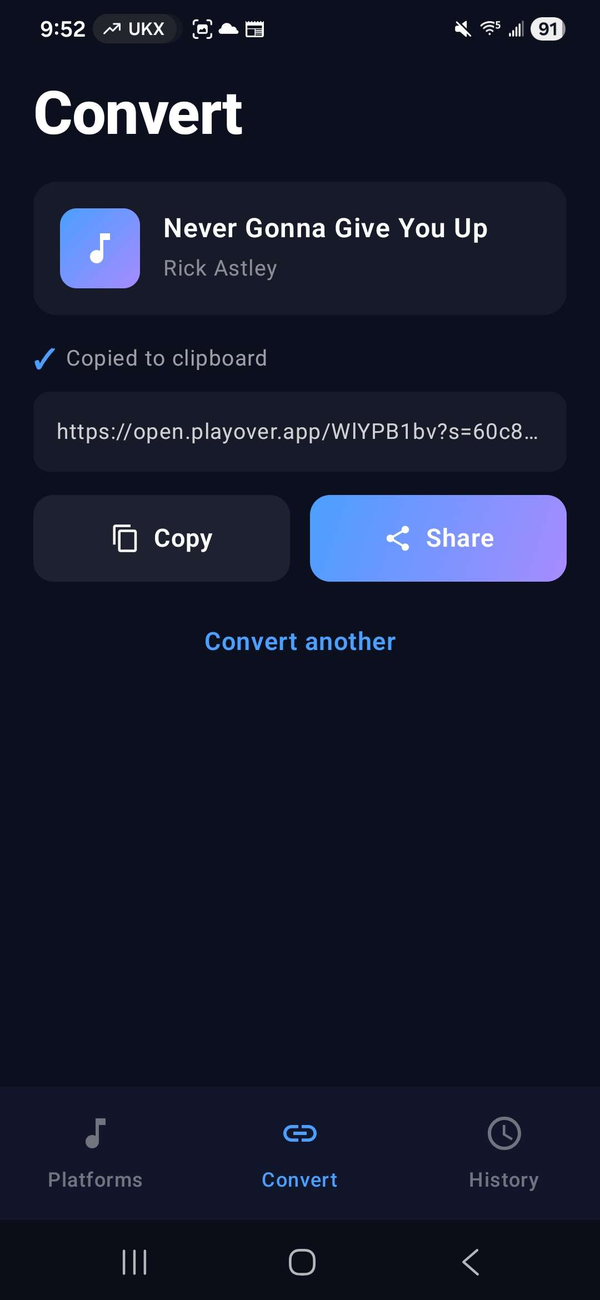
Tap the share button in any streaming app, then select PlayOver from the share menu. PlayOver will find and open the song on your preferred platform. You can also copy a link and open PlayOver directly to convert it from your clipboard.
How do I enable automatic link interception?
Go to your phone's Settings → Apps → PlayOver → Open by default, then enable it and toggle on the supported web addresses. Once enabled, tapping a music link anywhere on your device will automatically open it in PlayOver and redirect to your preferred platform.
Why isn't PlayOver intercepting links automatically?
Make sure "Open by default" is fully enabled in your Android settings (Settings → Apps → PlayOver → Open by default). Some manufacturers — particularly Samsung — may have an extra step in their device settings. If you're having trouble, the share menu method always works as a reliable alternative.
Which streaming services are supported?
PlayOver supports Spotify, Apple Music, YouTube, YouTube Music, Amazon Music, Tidal, and Deezer — both as sources and destinations.
What if a song isn't found on my platform?
PlayOver uses multiple methods to locate songs. If a direct match isn't found on your preferred platform, PlayOver will show all available options. If the song can't be found at all, PlayOver will let you know.
What Android version is required?
PlayOver requires Android 8.0 (Oreo) or later.
What data does PlayOver collect?
PlayOver doesn't require an account and never collects your name, email, or personal identity. It does send anonymous analytics (via PostHog) to help improve the app — including the links you convert, the platforms involved, and general device and locale info — associated only with a random device ID, never with you personally. We don't sell your data. Your on-device conversion history stays on your device. See our Privacy Policy for full details.