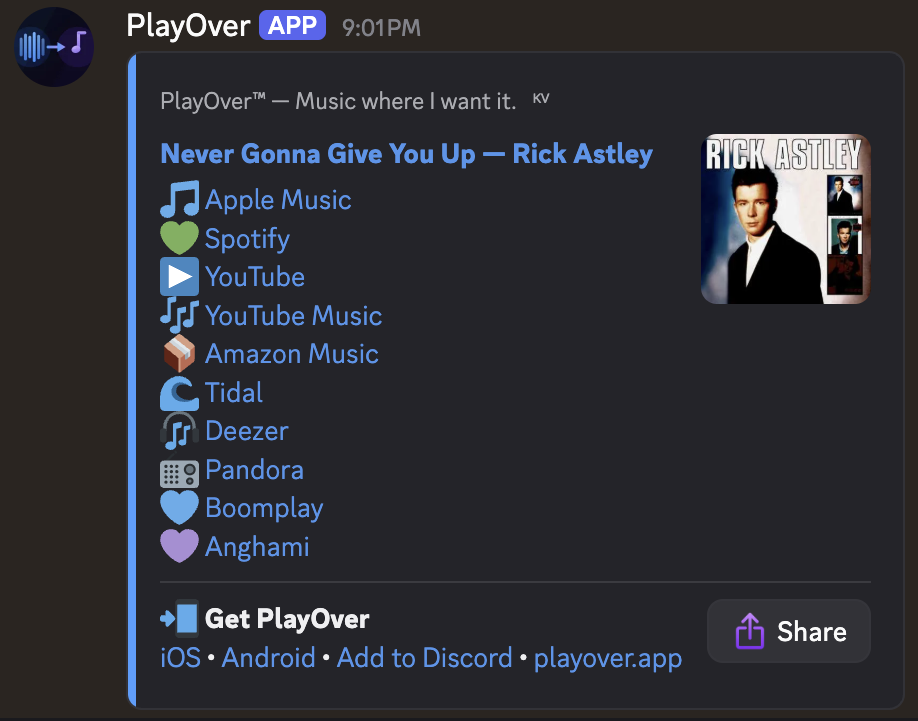
Someone shares a Spotify link but half your server uses Apple Music. PlayOver Bot automatically replies with links for every platform — so nobody misses out.
PlayOver watches for music links in messages. When someone shares a Spotify, Apple Music, YouTube, or other supported link, PlayOver responds automatically.
Every PlayOver response includes links for Spotify, Apple Music, YouTube, YouTube Music, Amazon Music, Tidal, and Deezer — so everyone in your server can open it.
Responses include album art, song title, artist, and clearly labelled platform links — clean and easy to read at a glance.
Restrict PlayOver to a specific channel using the /setchannel command. Use /removechannel to go back to responding everywhere.
PlayOver uses a caching layer so popular songs are resolved nearly instantly. Even new tracks are found within a few seconds.
No subscriptions, no premium features, no per-server fees. PlayOver is free for every server, forever.
No configuration required. PlayOver works as soon as you add it.
You'll be taken to Discord's app authorisation page. Select the server you want to add PlayOver to.
Click Authorise and complete any verification steps. PlayOver needs permission to read messages and send replies.
No setup required. Share any music link in your server and PlayOver will automatically reply with links for all 7 platforms.
If you want PlayOver to only respond in one channel, type /setchannel in that channel. Requires Administrator permissions.
Restricts PlayOver to the channel where you run the command. Requires Administrator. Run it again in a different channel to move it.
Allows PlayOver to respond in all channels again. Requires Administrator.
Shows the current PlayOver configuration for your server, including which channel it's set to (if any).