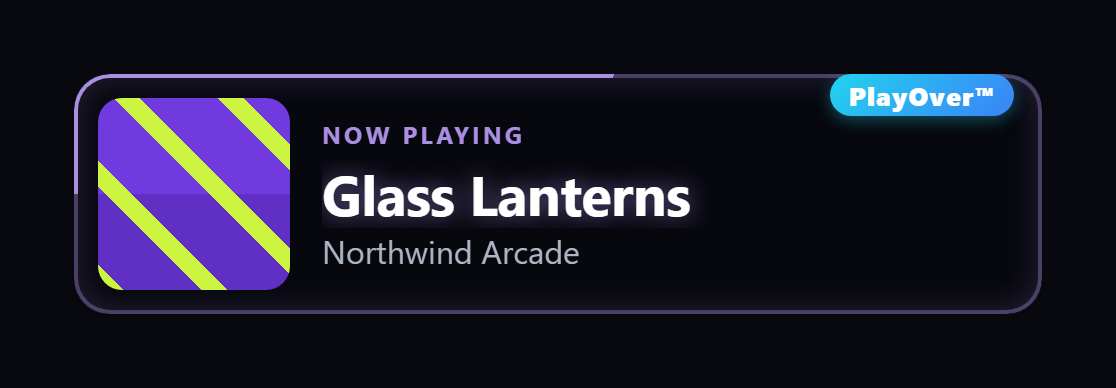
PlayOver is a free song request bot for Twitch, Kick and TikTok LIVE. Viewers type !sr with a song name or paste a link from any music app, and it queues the song in your own Spotify, Apple Music or YouTube Music. See how it compares to other song request bots. Setting up a particular one? Spotify, Apple Music, YouTube Music, Twitch, Kick or TikTok LIVE.
A viewer pastes a link from whatever they listen on — Apple Music, Tidal, YouTube Music, Deezer — and PlayOver converts it to the exact track on the platform you play from, then queues it. Plus a now-playing overlay for OBS with a QR code viewers can scan to open the song on their own service.
Turn it on and viewers type !sr with a song name
— or paste a link from whatever music app they
use. An Apple Music link, a Tidal link, a YouTube Music link: PlayOver converts it
to the exact track on the platform you play from and queues it right after the
current song. Converting music between platforms is what the rest of PlayOver already
does — the request queue is that same engine.
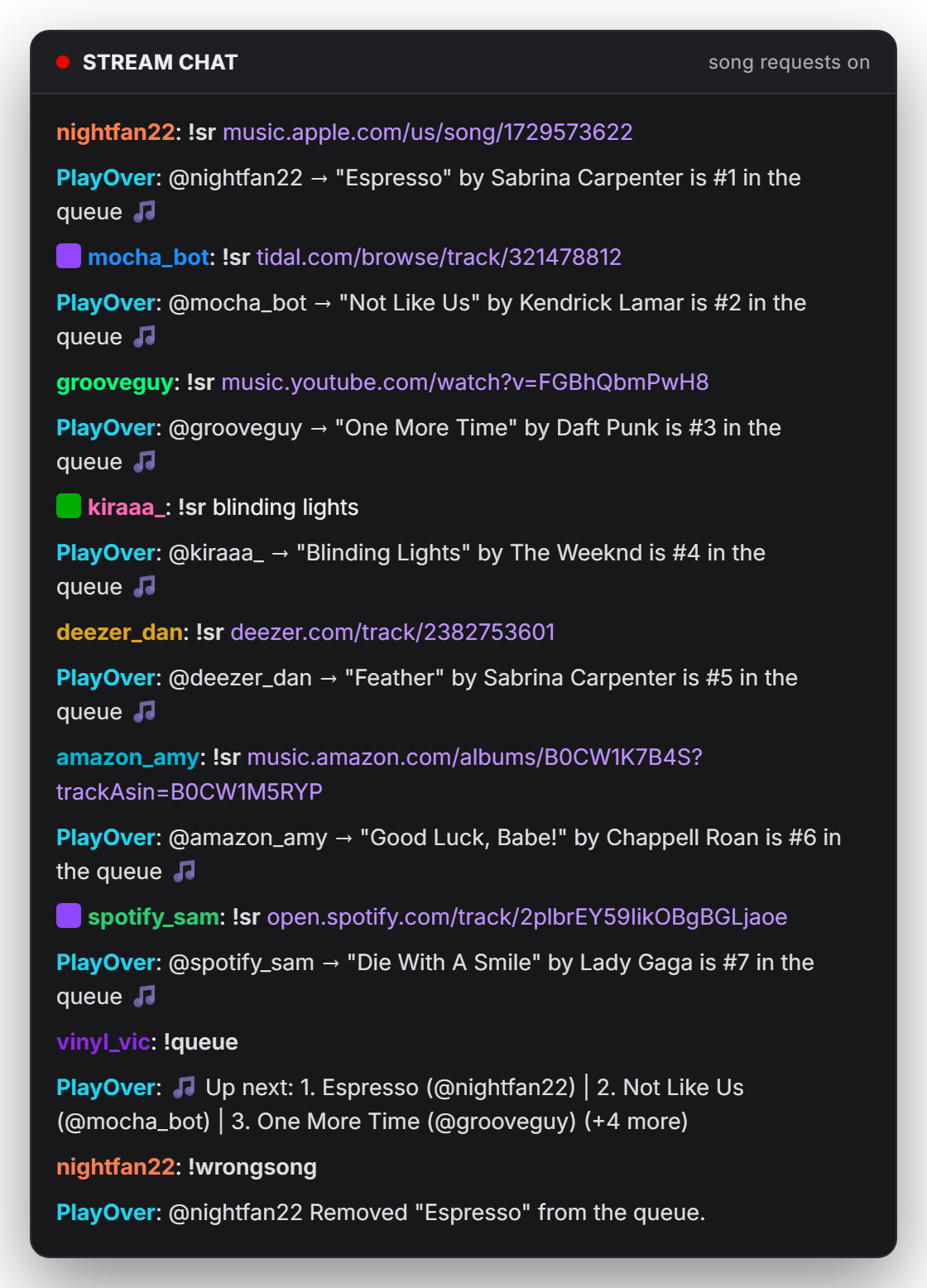
The queue lives in the app — see what's coming, remove anything with one click. Your viewers get the rest without you configuring a thing:
!srRequest a song by name or by link!queueSee what's coming up!wrongsongUndo your own last request!skipMods and the requester skip instantly; everyone else votesLinks from any platform. A viewer pastes a link from an app you have never used and the right track lands in your queue — on Spotify, Apple Music or YouTube Music.
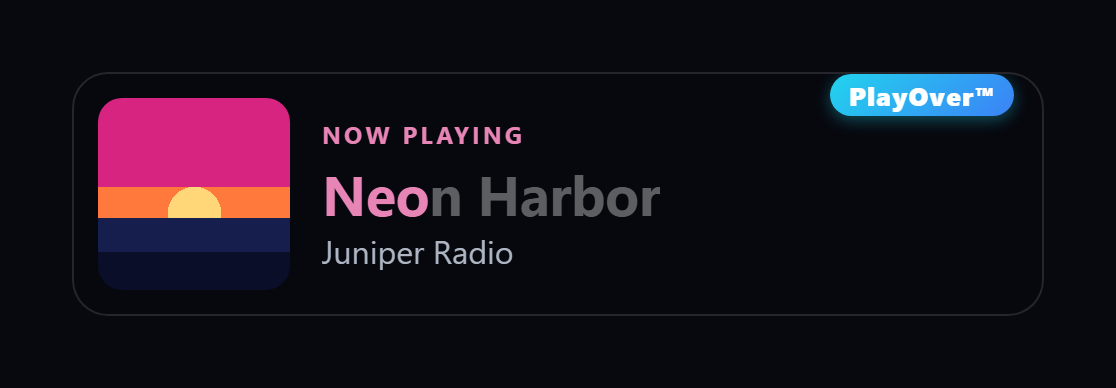
PlayOver gives you a browser-source URL. Paste it into OBS and the current track burns into your stream with a QR code viewers can scan to open the song on their platform — not yours. Because it's just a browser source, it works the same on Twitch, Kick, YouTube Live, TikTok LIVE Studio, or anywhere else that takes one.
Pick the full card, the song on its own, or a compact QR-only layout — and the card can scale itself to whatever size you draw the source, so bigger box means bigger text. Ten styles come with it, from the plain card to a neon outline that picks up the colours of the album art — see all ten side by side. Set the background solid when a bright scene shows through. It starts showing your music as soon as the source is on screen, so you can position it before you go live.
The overlay is the one streaming feature that needs no connected channel at all — there's a setup that skips the sign-in entirely. Connecting Twitch, Kick or TikTok LIVE is what adds the chat commands on top.
Not a port and not a cut-down version — Kick and TikTok LIVE run the same request engine, the same queue, the same limits and the same commands. Connect whichever you stream on. You don't need an account on the others, and you can connect all three.
!sr — names or links from any platform!song answers in chat, posted as you rather than a bot account!sr — names or links from any platform!song answers in chat, posted as you rather than a bot account!sr — names or links from any platform!song answers in chat, posted as you rather than a bot accountPick the one you play from. Whatever a viewer pastes gets converted to it — an Apple Music link from a viewer becomes the right song in your Spotify queue, and the other way round.
A free Spotify app you create once — the setup walks you through it in about three minutes. One Client ID to paste, and no client secret.
Apple Music for Windows has no API of its own, so PlayOver gives you two ways in. Open playover.app/apple in a desktop browser, press Pair in PlayOver and type the code it shows, and sign in with your own Apple Music account — that tab becomes the player your chat's requests land in. Or keep using Cider with its RPC server turned on.
Pear Desktop is the open-source YouTube Music app for Windows. Turn on its API Server plugin under Settings → Plugins → API Server and click Allow when it asks. No developer account, no API key.
A viewer types !song and the reply goes out in
your chat — posted as you, not as a bot account
— with a link each viewer opens on their own service. Someone on Apple Music gets an Apple
Music link; someone on Spotify gets Spotify. Same command, same behaviour, on Twitch and on
Kick. You can change the word it answers to if !song
is already taken in your chat.
Or straight to their Discord. A viewer who types
!playoverme gets the song playing now in a Discord DM.
The first time,
!link gives them playover.app/link to connect Discord,
once. It works on Twitch and Kick, and there is nothing for you to set up.
PlayOver already knew how to take a song on one music service and find it on another — that is what the rest of the app does. Song requests inherit all of it, which is why a viewer can paste a link from an app you have never used and the right track lands in your queue.
| What PlayOver does | |
|---|---|
| Requests from a pasted link | Any supported platform — Apple Music, Tidal, Deezer, YouTube Music and more, converted to yours |
| Queues to | Spotify, Apple Music and YouTube Music |
| Chat platforms | Twitch, Kick and TikTok LIVE, with the same commands on all three |
| Now-playing overlay | Included — ten styles, any browser source |
| QR code viewers can scan | Yes — opens the song on their music app, not yours |
| Chat replies | Posted as you, not from a bot account |
| Price | Free — no subscription, no ads, no paid tier |
PlayOver does more than streaming — Discord Rich Presence, scrobbling and Party Mode are in the same install, and none of them need any of this. These steps are only the streaming half.
Download the installer and run it. If Windows shows a SmartScreen warning, click "More info" then "Run anyway" — normal for a new publisher. PlayOver lives in your system tray.
Open the Streaming tab and follow the setup or take the route that needs no account at all. Either way you end up with a browser-source URL. Paste it into OBS as a Browser source for Twitch, Kick or YouTube Live, or into TikTok LIVE Studio as a Link source for TikTok.
Connect Twitch, Kick or TikTok, or any mix of them. This is what turns on !sr and the !song reply in that chat, plus channel-point redemptions on Twitch and Kick. TikTok signs in inside PlayOver, and none of them needs an account on the others.
Flip the toggle and point PlayOver at the player you use: connect Spotify, open the Apple Music player in your browser or point it at Cider, or point it at Pear Desktop for YouTube Music. Then set your own limits — how many songs per viewer, how long a track can be, whether requests need channel points.
!song reply and channel-point redemptions all work on Kick, and a Kick streamer needs no Twitch account at all. The OBS overlay is a browser source, so it works on any platform that accepts one. A rejected channel-point request refunds the points automatically on both.!sr in your LIVE chat with a song name or a link from any music app, and the replies come from your account, as they do on Twitch and Kick. TikTok has no channel points, so requests from TikTok are always free. TikTok LIVE Studio does not show those replies in its own chat panel, but your viewers see them. The overlay goes into LIVE Studio as a Link source.!sr with a song name — or paste a music link — in your Twitch, Kick or TikTok LIVE chat. The song joins your queue and plays right after the current track. Viewers also get !queue to see what's coming, !wrongsong to undo their own request, and !skip — mods and the requester skip instantly, everyone else votes. You can tie requests to a channel-point reward too. Requests are open only while you're live.playover.app/overlay. And check the source's Width and
Height: OBS defaults to 800 × 600, so if you've set it much smaller the card can
be cropped out of view.
!sr in your chat plays after the song you're on, with the same queue, !song, overlay card and channel points as any other player. It uses Apple's own MusicKit, signed in as you, so it plays full tracks. Keep the tab open while you stream; after a reload, one click starts the audio again. Between requests the tab keeps playing a playlist or your library, whichever you pick in the page, and carries on where it left off after each request. The page is a full player: what's playing, play and pause, skip, volume, an Up next list you can pull requests out of, and search for adding your own songs. The other way is the Cider player with its RPC server turned on, if you would rather use a desktop app.!playoverme in a stream’s chat and PlayOver sends you the song in a Discord DM. A viewer connects Discord once at playover.app/link, and !link in your chat gives them the address. A Twitch account connected to their Discord is picked up automatically; Kick viewers sign in with Kick there too. !playoverme sends the song playing now. A song asked for before they connect waits 24 hours. It works on Twitch and Kick while you are live, and there is nothing for you to set up.!sr, !queue, !wrongsong and !skip, plus channel-point redemptions. No Twitch account is needed for any of it.Free, Windows 10 and 11, and the overlay works before you connect anything.
Download for Windows